Navigate this guide · 1,586 words
The essential signal
- MLO coordinates multiple links; supported modes differ between devices.
- 320 MHz operation depends on supported hardware and locally available 6 GHz spectrum.
- Peak radio capabilities are not guaranteed internet or application speeds.
- Upgrade around your client devices and a repeatable real-world task.
Start with the connection you actually use
Wi-Fi 7 describes wireless networking capabilities, not the speed tier of an internet subscription. Wi-Fi Alliance introduced its Wi-Fi CERTIFIED 7 program in January 2024 and highlighted multi-link operation, 320 MHz channels and higher-order modulation. These features concern communication between compatible wireless devices. They do not establish the speed of every other part of the path between your laptop and a remote service. Separating those layers makes an upgrade decision more useful than comparing the largest number on a router box.[1][2]
Name the problem first: unreliable calls in another room, slow local transfers or too many active office clients. Those are different workloads. A new radio generation may address some bottlenecks while leaving others untouched. The practical checklist in this guide is an editorial way to interpret the documented capabilities; it is not a test of a particular router, a coverage guarantee or a claim that every household needs to upgrade.[1][2]
Multi-link operation changes the available paths
Multi-Link Operation, or MLO, allows compatible access points and clients to associate over multiple links. Wi-Fi Alliance describes simultaneous transmission and reception over multiple links as a way to improve throughput, latency and reliability. Instead of treating one selected wireless link as the only route for a connection, an MLO-capable system can coordinate more than one. The important word is coordinate: simply owning several separate radios is not the same as using this feature.[1][2]
The way those capabilities are implemented still matters. Cisco Meraki documents different MLO modes, including a mode in which a client dynamically switches its radio chains to a band with a transmission opportunity. That means the label alone does not describe an identical pattern of concurrent traffic in every device. Ask which modes the access point and your client support, and what the vendor documents about interoperability. Do not translate “multi-link” into a promise that every transfer always uses all bands simultaneously.[1][2]
Wider channels need usable spectrum
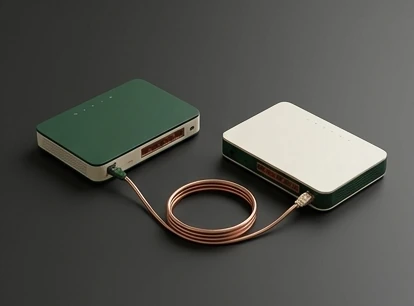
One prominent Wi-Fi 7 capability is a channel width of 320 MHz. Wi-Fi Alliance qualifies that feature by pointing to countries that make the 6 GHz band available for Wi-Fi. Wider channels use more spectrum for a transmission. They are therefore a capability of a particular regulatory and radio environment, not a setting that can be assumed to work identically in every country, building or product configuration.[1][2]
Meraki's guide highlights channel-planning constraints and notes that 320 MHz is an optional certification feature. A sensible purchase review checks local availability, the specific access point's supported widths and the client device's capabilities. It also asks whether the surrounding network can make productive use of a very wide channel. This is more informative than assuming the widest option is always the most appropriate one. A narrower documented configuration can still be a deliberate engineering choice.[1][2]
Higher modulation depends on signal conditions
4096-QAM, often called 4K QAM, carries more information in each symbol than 1024-QAM. Wi-Fi Alliance presents a transmission-rate improvement for that change, while Meraki explains that it requires a high signal-to-noise ratio. This is a radio-condition requirement. It is not an unconditional improvement in the speed seen by a person browsing a page from anywhere in the house.[1][2]
Include distance, placement and signal conditions in any discussion of the expected benefit. Meraki notes the challenge of achieving the signal conditions needed for the highest modulation rates in an open environment. Treat peak-rate claims as descriptions of supported modes, then look for measurements appropriate to your rooms and clients. This publication has not performed those measurements. The useful question is whether a specific feature helps at the locations where your devices actually operate, not whether it exists somewhere in a specification table.[1][2]
Both ends must support the useful feature
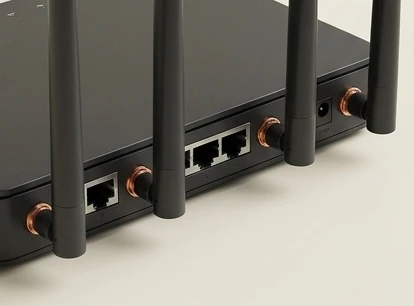
A wireless link depends on both the access point and the client. Meraki's discussion of MLO explicitly involves a Wi-Fi 7 access point and client devices. Replacing a router does not automatically give an older phone or laptop every new mode. Backward-compatible connectivity and access to a new feature are separate ideas: a device may still connect without participating in the capability that motivated the purchase.[1][2]
Inventory the devices you actually use before shopping for a replacement. Record the clients you care about, their documented wireless capabilities, their operating-system or driver requirements and the access point's supported configuration. Keep the evidence specific to model and version rather than inferring support from the age or price of a device. If only one client can use the new feature, that may still justify a targeted upgrade, but it changes the value calculation. Avoid turning an ecosystem transition into an all-or-nothing promise.[1][2]
The rest of the path still matters
Under appropriate conditions, the documented features improve the wireless portion of a connection. A practical evaluation should also identify the destination and the non-wireless path. A transfer to a local machine, an internet download and a video call depend on different combinations of servers, access links and application behavior. A change in one link cannot by itself establish the capacity or responsiveness of all the others.[1][2]
Compare a local task with the slow remote task, recording where each observation was made. Note the client, room, access point, workload and time rather than producing a single unexplained “Wi-Fi speed” score. This separates a capability discussion from an unsupported benchmark. If the complaint is about a particular application, successful performance in an unrelated local test is useful evidence, but it is not proof that the application problem has been solved.[1][2]
Plan an upgrade around evidence
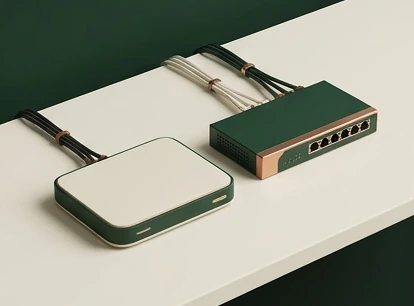
For a home, dependable coverage and compatible clients may matter more than selecting the widest channel. For an office, the plan may need to consider the documented channel choices, client mix and radio deployment. Meraki's guide is useful precisely because it discusses feature modes and planning constraints, not just a maximum data-rate headline. Product-specific configuration and local rules still need separate checking.[1][2]
Define a successful result before replacing hardware. Examples include completing a local file transfer consistently from a particular room or keeping a call usable while other people work. These are proposed acceptance tests, not results measured by TechnoGalaxy. After a change, repeat the same tasks with the same clients and record any remaining failure. A premium product label should not replace this comparison, and a disappointing result should prompt a bottleneck review rather than an automatic second purchase.[1][2]
A shared network needs a shared evaluation
Household networks carry several activities at once, not just one isolated transfer. Several clients can be active, and the tasks that matter may involve different rooms and destinations. The documented reliability and latency aims of MLO make that shared situation a useful context for evaluation. However, the presence of MLO does not by itself establish that a given router handles your particular client mix well. Treat the following exercise as a proposed assessment, not as a claim about a tested device: repeat your important task while the ordinary background activities are also running, then compare the experience with the quiet-network case.[1][2]
Keep the test conditions clear enough for the comparison to mean something. Record whether the same client stayed in the same room, whether a local transfer or remote service was involved, and whether the access-point configuration changed. Do not attribute every difference to the wireless generation when several variables changed together. If a particular client continues to struggle, consult its supported radio modes and configuration before assuming that a second router will solve the problem. Wi-Fi Alliance's feature overview and Meraki's planning discussion establish mechanisms and constraints; neither is a substitute for measurements in your own building. That distinction lets a reader use the specification without treating it as a personalized performance guarantee.[1][2]
Translate the specification into a purchase question
A retailer may combine a generation label, theoretical capacity and port list into a single short description. Rewrite that description as separate questions. Which wireless features are supported by this model? Which of those features can the client you intend to use actually negotiate? Is the advertised channel width permitted and practical in your location? What documentation explains the supported MLO modes? These questions follow directly from the difference between a generation-level capability and a particular implementation. A clear answer may justify a purchase, but an unclear answer should not be filled in by assuming that the newest label includes every optional feature.[1][2]
Also state which problem you are not trying to solve with the purchase. If the complaint concerns a remote service rather than the local connection, a wireless upgrade may not answer it. If the complaint concerns a device with older radio support, a newer access point can still be useful without delivering every headline feature to that client. Finally, write a modest acceptance criterion in ordinary language: usable calls from the study, consistent local transfers, or a documented feature available on a specific laptop. Keep the before-and-after notes. They are more actionable than an unexplained maximum-rate comparison and make it easier to decide whether to keep, reposition or return the equipment.[1][2]
What the generation label can tell you
Wi-Fi 7 names a newer set of wireless capabilities, with certification intended to support interoperability. It does not collapse optional features, device-specific modes and local spectrum rules into one identical experience. The strongest reading of the label is therefore a starting point for questions: which features are present, which clients can use them, and which conditions are required?[1][2]
For some readers, checking the present network is a better next step than buying immediately. It is identifying whether the limitation is wireless, checking the documentation for the devices already owned, and selecting a change that answers a real need. For others, multi-link operation or a supported wider channel may be relevant to an existing workload. Either decision is more defensible when it follows the documented mechanism and a concrete evaluation plan rather than treating an advertised peak number as an everyday guarantee.[1][2]
Questions, answered.
Will a Wi-Fi 7 router make my internet plan faster?
It does not change the contracted access connection. Evaluate whether the wireless link is the bottleneck before expecting a remote task to improve.[1][2]
Do all Wi-Fi 7 devices support 320 MHz?
Do not assume so. Meraki describes 320 MHz as an optional certification feature; check the specific product and local spectrum rules.[2]
Does MLO always use every band at once?
No single behavior should be inferred from the name. The documented MLO modes and client radio capabilities affect how links are used.[2]
Read the sources.
- Wi-Fi Alliance introduces Wi-Fi CERTIFIED 7Wi-Fi Alliance · Accessed 2026-10-13
- Wi-Fi 7 (802.11be) Technical GuideCisco Meraki · Accessed 2026-10-13
AI assistance and source checks reduce risk; they do not guarantee error-free reporting. See our editorial policy.