Navigate this guide · 1,618 words
The essential signal
- Matter is an IP-based connectivity protocol for smart-home ecosystems.
- The Alliance describes Wi-Fi and Thread network layers and Bluetooth Low Energy for commissioning.
- A standards overview is not a compatibility review of every individual device.
A common language for the connected home
The Connectivity Standards Alliance presents Matter as a common, IP-based connectivity protocol. Its purpose is to help devices communicate within smart-home ecosystems rather than requiring each manufacturer to invent an entirely separate foundation.[1]
Its overview connects that goal with devices, mobile applications and cloud services. It is an architectural description of the standard. It should not be read as a test result for an individual smart-home product.[1]
The network is not the same as setup
The Alliance's first-specification overview names Wi-Fi and Thread as network layers and Bluetooth Low Energy as a commissioning technology. Keeping those roles separate makes device setup instructions easier to understand.[1]
A product may mention several wireless technologies because setup and everyday communication are different jobs. Consult the manufacturer's documentation for the requirements of the exact product you are considering.[1]
Compatibility deserves a specific question
The Alliance says Matter is intended to simplify building products that work with smart-home and voice services. That aim is broader than a claim that every feature of every device works identically in every ecosystem.[1]
Before choosing a product, check its supported features, certification details and ecosystem requirements. This explainer does not provide a tested compatibility matrix and does not claim that any illustrated device is a certified commercial product.[1]
Buy the capability you can verify
A shared protocol can simplify the work of making products interoperable. The practical next step for a shopper is still to confirm the features and requirements that matter in their own home.[1]
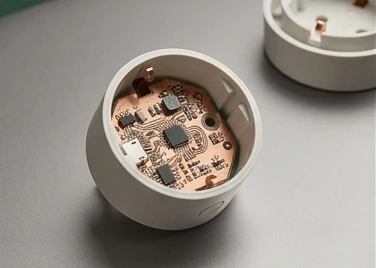
Use the standards badge as a prompt to read the product documentation, not as a replacement for it. The artwork here is conceptual; the linked Alliance material is the source for the protocol-level explanation.[1]
Start with the job a device must do
A smart-home purchase is easier to judge once you know the job it needs to perform. Do you need to switch a lamp locally, read a sensor in two ecosystems, or use a manufacturer's specialist settings? These are different requirements. Matter provides a shared communication framework for supported smart-home device capabilities, but a label does not tell you that every advanced function of a particular product appears in every app.[1]
List the actions you need before comparing products. For a light, that might include switching, dimming and the specific color controls you use. For a sensor, it might include the reported measurement and the automation that depends on it. This is a suggested shopping method, not a statement about an unnamed product's capabilities. Check the manufacturer's documentation and your controller's support information. A careful match between device type and controller behavior is more informative than assuming that a common standard eliminates all differences between implementations.[1]
Matter and the network underneath it
The Alliance describes Matter as using Internet Protocol, with Wi-Fi and Thread among its network transports. Bluetooth Low Energy is used for commissioning in the described setup model. These roles are not interchangeable. Bluetooth can help establish the device, while routine operation relies on the relevant network path. A person who sees Bluetooth mentioned on packaging should not infer that every command will travel directly from their phone over Bluetooth forever.[1]
The language-and-route analogy is useful: Matter supplies a common language, while the network carries it. The analogy simplifies a more detailed protocol, but it separates two common questions: can the devices understand the relevant commands, and can those devices reach one another? Troubleshooting is clearer when both questions remain visible. A device that uses the expected standard can still be unavailable because of a network problem. Conversely, a stable network does not add a device capability that the product or controller does not support.[1]
Thread needs an appropriate network path
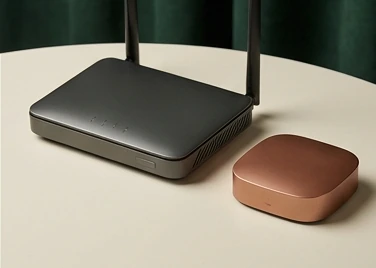
For a Matter-over-Thread product, check the requirements for a Thread border router and your intended controller. A border router connects the Thread network to the wider IP network; it is not merely another name for a Wi-Fi access point. Some products combine multiple roles, but the presence of one radio or brand logo does not establish every role required for a working installation.[1]
Sketch the phone, controller, network and device so their roles are visible. Label which component supplies the relevant network connectivity. Use the actual product documentation rather than an assumption based on appearance. This diagram can reveal a missing prerequisite before purchase and make later troubleshooting less frustrating. Avoid treating an informal list of compatible brands as a substitute for the exact requirements of the device generation you are buying. Product capabilities can differ within a brand and across software versions.[1]
Commissioning is an enrollment step
Commissioning brings a device into the intended system; it is more than switching on the power. The Alliance's setup materials describe a guided experience, but the details still depend on the controller and device. Keep the setup code and follow the manufacturer's instructions for the specific product. If a device was previously enrolled elsewhere, consult the documented removal or reset process instead of repeatedly trying the same scan and expecting a different outcome.[1]
Enroll one device and confirm its basic operation before setting up a whole room. This is a suggested method for reducing confusion, not a claim that a certain number of devices is a protocol limit. Record which app manages the device and where you would find its settings. When something fails, distinguish discovery, enrollment and normal control. Those stages can fail for different reasons. A troubleshooting note that identifies the failed stage is more useful than a general complaint that the smart home is incompatible.[1]
Multi-admin is flexibility with responsibilities
The Alliance describes multi-admin as enabling local, simultaneous connections to multiple applications and ecosystems. That flexibility can reduce dependence on a single control experience, but it also requires understanding which systems have been granted access. Adding a second administrator is an intentional permission change. It is not an excuse to ignore who can control a lock, switch or other connected device.[1]
Keep a simple record of which ecosystems may manage important household devices. When removing an old controller or changing household access, follow the relevant removal instructions rather than assuming deleting a phone app revokes every device association. The exact flow depends on the products involved. Explain the distinction to anyone who shares the home. A standard that permits multiple control surfaces is most useful when people understand both the convenience it creates and the access-management duties that accompany it.[1]
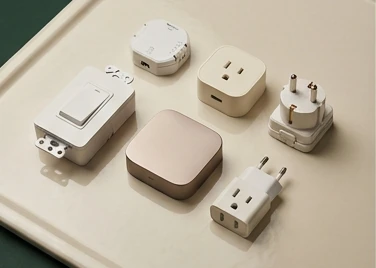
Local connectivity is not a universal offline promise
Responsive local connectivity is one of the benefits the Alliance emphasizes. That is an important design direction, but it should not be expanded into a promise that every feature of every Matter product works without internet access. Manufacturer apps, remote access, voice assistants or ancillary services may have their own dependencies. The fact that a basic local command works says little about a cloud-based account feature unless the product documentation addresses that feature specifically.[1]
If offline use matters, name the function that must keep working and test it under controlled conditions. For example, distinguish a local light switch from an out-of-home phone command. Do not interrupt equipment whose operation is safety-critical simply to conduct an informal experiment. A careful test plan records the feature, controller, device and expected behavior. The result should be described as a finding for that configuration, not generalized to an entire standard or every future software release. Precision is more useful than the broad slogan no cloud required.[1]
Bridges and native devices are different
Some installations use a bridge to expose devices, while others use devices that participate directly in the Matter setup. Read the manufacturer's description of what is bridged and which functions are available. A bridge can help connect an existing collection to another ecosystem, but it does not necessarily make each underlying device a fully independent native participant with the same capabilities as a newly designed product.[1]
Identify which components must stay powered and connected before you invest. If one bridge represents many devices, the bridge becomes an important part of the control path. This is a useful operational observation, not a claim about the reliability of a particular product. Ask how updates, resets and removal affect the devices behind it. A simple system drawing can show these dependencies more clearly than a page of brand names. The goal is to understand the actual route from your command to the device that acts on it.[1]
Security includes updates and physical access
Matter includes a security design, and the Alliance publishes materials explaining that approach. Nevertheless, a secure protocol does not remove the need for supported firmware, careful account access and sensible physical installation. A device's behavior also depends on its implementation and the lifecycle practices of the manufacturer. Do not translate the word secure on a standards page into a guarantee that every product will remain protected indefinitely.[1]
Check the vendor's update process, support material and procedure for removing or transferring ownership of a device. Keep setup information private where it can grant access, and consider who can physically reset the equipment. These are suggested management practices, not a formal security audit. If a device controls access to a building or a critical household function, use the manufacturer's guidance and appropriate professional advice rather than relying solely on a general technology explainer.[1]
Build a small system you can understand
Start with an installation whose roles and dependencies you can explain clearly. Choose a supported device, confirm its network prerequisites, enroll it with the intended controller and test the basic functions you actually need. Add another ecosystem only when the first path is clear. This measured approach makes it easier to discover whether a problem involves capability support, commissioning, permissions or connectivity.[1]
Matter offers a common interoperability framework, not identical products or a home that never needs maintenance. Preserve that distinction when comparing marketing language with technical documentation. Readers should leave with better questions: which functions are exposed, what network path is required, who can administer the device, and what happens when a component is unavailable? Those questions turn a standards badge into a practical decision. A reliable smart home begins with understandable relationships between devices, controllers and people, not simply with the largest number of connected objects.[1]
Questions, answered.
Is Matter based on IP?
Yes. The Alliance describes it as an IP-based connectivity protocol.[1]
Is Bluetooth Low Energy the same role as Thread?
No. The linked first-specification overview describes Bluetooth Low Energy for commissioning and Wi-Fi and Thread as network layers.[1]
Read the sources.
- Build with Matter · Connectivity Standards AllianceConnectivity Standards Alliance · Accessed 2026-10-13
AI assistance and source checks reduce risk; they do not guarantee error-free reporting. See our editorial policy.