Navigate this guide · 1,690 words
The essential signal
- A passkey uses a public/private key pair for a particular account and service.
- The service verifies a signed challenge rather than receiving the private key.
- Passkeys may be synchronized or bound to hardware, depending on the authenticator.
Two keys, different jobs
Registration creates a cryptographic key pair through a credential manager or security key. Passkey Central explains that the private key is retained securely by the user's device or security key, while the online service registers the public key.[1]
The public and private halves of that pair have different jobs. The service does not need the private key to verify a sign-in. It uses the registered public key to check the result of a cryptographic operation performed by the authenticator.[1]
What happens when you sign in
For sign-in, the service sends the device a random challenge. After local approval—such as a device unlock or interaction with a security key—the authenticator signs that challenge with the appropriate private key. The service verifies the returned signature with the public key it has on record.[1]
The device's local unlock is not the credential transmitted to the website. Passkey Central notes that biometric measurements and templates remain on the local device; the online service receives the public keys and signatures needed to verify the sign-in.[1]
Not every passkey lives in the same place
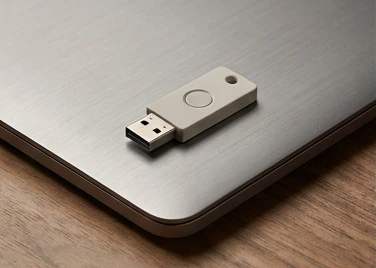
Some credential-manager ecosystems synchronize passkeys among trusted devices. Others remain tied to particular hardware, such as a security key. The distinction depends on the platform and authenticator type.[1]
Check additional-device access, loss and recovery before replacing an existing sign-in method. This article does not promise that every account offers the same recovery path. The cryptographic sign-in mechanism and an individual service's recovery policy are different questions.[1]
A clearer way to evaluate the change
A passkey is a cryptographic credential associated with an account, not simply a renamed password. The private key stays with the authenticator; the service checks a signed challenge. That is the central mechanism described in the linked technical overview.[1]
Read the service's recovery instructions before removing a working fallback. Hardware-bound and synchronized credentials can create different practical choices, and an explainer cannot substitute for the recovery rules of your particular account.[1]
Separate the three participants
Separate three roles when following a sign-in: the service, its browser or client, and the authenticator. The service wants evidence that the person signing in controls a registered credential. The browser coordinates the request with the authenticator. The authenticator holds or accesses the private key and performs the cryptographic operation. These roles can appear to the user as one smooth interaction, but they are not interchangeable parts of the security model.[1][2]
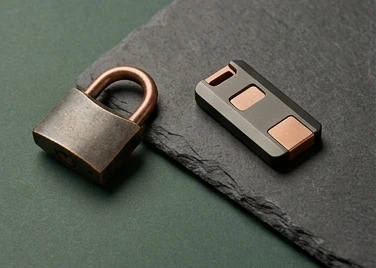
Passkey Central explains that the service receives the public key while the private key remains under the device or security key's control. The service does not need a copy of that private key to verify a signature. A useful analogy is a lock that can recognize a particular key without keeping an identical key behind the counter. The analogy is imperfect, because the actual mechanism is a cryptographic challenge and response, but it helps explain why a reusable password is not sent during each passkey authentication.[1][2]
Registration is different from signing in
The service links a newly registered public-key credential to an account. During a later sign-in, the authenticator demonstrates control of the matching private key. Confusing these stages can lead to practical mistakes. Creating a passkey on the wrong account does not fix access to the account you intended to use. Likewise, seeing a passkey prompt does not mean the service has already associated your current device with the correct account.[1][2]
Before enrolling a credential, verify the domain and the account currently signed in. Give the credential a recognizable label if the service offers that option. Then review its security settings to understand how the passkey appears and how it can be removed. These are suggested account-management practices rather than guarantees about a particular website's interface. Services differ in their registration flows, supported authenticators and recovery options. The important point is that enrollment establishes an association that later sign-in relies upon; it should not be treated as an incidental popup to dismiss quickly.[1][2]
What the biometric prompt actually means
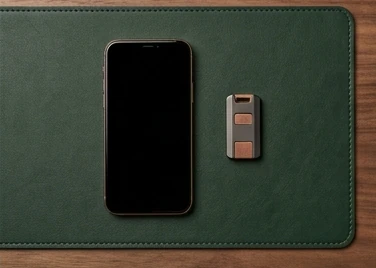
A fingerprint or face check commonly permits local use of the device-held credential. It is not the same thing as sending a fingerprint image to every website. Passkey Central describes device unlocking methods such as biometrics or a PIN as ways to authorize the passkey interaction. The service receives the cryptographic result and relevant protocol information, not a universal biometric password that it can reuse elsewhere.[1][2]
That local authorization is why a passkey should not be equated with facial recognition alone. The biometric can be part of the local experience, but the service-facing mechanism is public-key authentication. A hardware security key or another supported authenticator can provide a different interaction. Avoid assuming that every passkey requires the same sensor, or that every device implements the identical user-verification flow. Check the authenticator and platform documentation for the exact behavior. The visible prompt is a user interface to a credential operation, not the whole security architecture behind it.[1][2]
Synced and device-bound credentials
A synchronized passkey may become available on other trusted devices in the same credential-manager ecosystem. Others remain bound to a particular authenticator, such as a hardware security key. Passkey Central explicitly distinguishes these patterns. Both use public-key authentication, but they have different implications for convenience, availability and the account that manages the credentials. A reader should not interpret the phrase private key stays with you as a claim that a synchronized credential never moves between devices.[1][2]
Choose a setup around your actual access and recovery needs. A device-bound credential may suit a workflow in which physical control of a particular key is important. A synchronized credential can make sign-in more convenient across compatible devices, but its management and recovery depend on the surrounding ecosystem. Neither description justifies a blanket claim that one option is best for every person. Write down which authenticator holds each important credential and which account or backup method would restore access if a device stopped working.[1][2]
Why phishing resistance has boundaries
Passkeys are intended to resist password phishing, where a fake site collects a secret and reuses it at the legitimate site. The credential is associated with the relying party, and the authentication protocol checks the relevant origin and identity context. A fraudulent lookalike page cannot simply ask the user to type the same passkey as text. This changes an important failure mode of traditional passwords, which can be copied and replayed by someone who obtains them.[1][2]
That resistance does not make an account immune to every other attack. A criminal may target account recovery, persuade a user to approve a harmful action after sign-in, or compromise an already authenticated device. A trustworthy explanation should preserve those distinctions. Continue to verify sensitive requests, protect recovery channels and pay attention to what an application asks you to authorize. Authentication proves something about access to a credential. It does not establish that the person requesting a money transfer, file download or security-setting change has good intentions.[1][2]
Recovery is part of the design
Review recovery while you still have working access, not after a device has been lost. Read the service's instructions and identify any backup codes, alternate credentials or supported recovery channel. If a service permits multiple passkeys, a separately stored authenticator may be an option. Do not assume that adding a passkey automatically removes every password-based fallback, or that losing a phone always makes an account unrecoverable. The surrounding service determines those policies.[1][2]
Rehearse the recovery steps on paper without deleting your current access. Where would you begin? Which email account or credential manager would you need? Is that account itself protected, and is its recovery information current? Keep the answers somewhere appropriate for their sensitivity. Never publish recovery codes in a guide or repository. This planning is less dramatic than a new sign-in animation, but it is central to whether the system remains usable when a device breaks, is stolen or is replaced.[1][2]
Shared devices require deliberate choices
A personal phone, shared home computer and public workstation present different access situations. Registering or saving a credential on a device you do not control deserves careful thought. Before accepting a prompt, check whether it creates a credential locally, uses a security key, or invokes a cross-device flow. The interface should make that distinction understandable, but interfaces vary. If the wording is unclear, cancel rather than assuming the credential will remain only on your personal device.[1][2]
On your own device, consider who can unlock it and whether others share the operating-system account. Local user verification is meaningful only in the context of the device's access controls. A reader does not need to become a cryptographer to make these choices. They need to understand where the credential is managed, how the device is unlocked, and what the website associates with their account. Those questions translate the protocol into practical household and workplace decisions.[1][2]
Deployment is not just a button replacement
Operating a passkey service involves enrollment, authentication, account linking, recovery and clear communication. The WebAuthn standard specifies the browser-facing public-key credential API, but product design still determines how someone encounters it. A flow that works for an expert on a new phone may be confusing on an older browser, a managed workstation or a shared computer. Treat those differences as test cases, not as users failing to understand a perfect interface.[1][2]
Test enrollment, returning users, multiple credentials, unavailable authenticators and canceled prompts. Check that error messages help without disclosing unnecessary account details. Avoid asserting support for a device combination that has not been tested or documented. A careful rollout explains benefits in plain language while retaining a safe alternative where the service's policy allows it. The goal is reliable access with a clearer security model, not merely reducing the number of visible fields on a sign-in page.[1][2]
A calmer account-security checklist
For an important account, verify the domain, enroll on a trusted device and understand recovery before removing older methods. Protect the credential-manager account if synchronization is involved. If using a hardware key, decide where a backup would be stored and how the service supports additional authenticators. These steps are suggested practices, not a claim that all platforms expose identical settings or that a particular setup is invulnerable.[1][2]
At its core, the service verifies a response with a registered public key while an authenticator controls use of the private key. Everything around that exchange affects how secure and usable the experience becomes. Keep the protocol advantage and the operational responsibilities in view together. Passkeys can remove an important reusable secret from everyday sign-in, but durable account security still depends on recovery, device management and careful authorization after the sign-in succeeds.[1][2]
Questions, answered.
Does the website receive my fingerprint?
No. Passkey Central explains that biometric measurements stay on the local device.[1]
Are all passkeys synchronized?
No. Depending on the platform and authenticator, they may be synchronized or remain bound to particular hardware.[1]
Read the sources.
- How passkeys work · Passkey CentralFIDO Alliance · Accessed 2026-10-13
- WebAuthn Level 2W3C · Accessed 2026-10-13
AI assistance and source checks reduce risk; they do not guarantee error-free reporting. See our editorial policy.